QR menu generator
Build a QR menu once and keep the code for good
Add your dishes, pick how the menu looks, and download a QR code you can print. When the menu changes you edit the items — the code on the table stays the same.
Print once
The code points at your venue, not at a file. Republishing swaps the menu behind it.
What you end up with
Three things, from one menu you fill in once
A QR menu is not just an image of a code. Generating one here produces the guest-facing page, the link behind it and the printable code together.
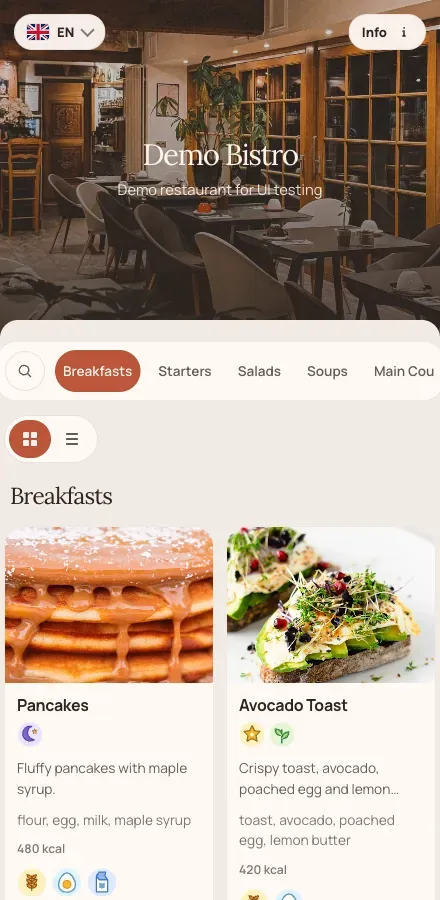
A guest-facing menu page
Categories, items, prices, photos, size variants, allergens and vegetarian or vegan marks — laid out for a phone and served as a real page, not a PDF to pinch and zoom.
A link you can share anywhere
The same menu opens from your website, your Instagram bio or a message. Guests who are not at the table get the current menu too.
A code made for printing
Download a single code or an A4 sheet of them, customize the colors, and put them on tables, windows, flyers or the counter.
Generating the menu
Four steps from what you have now
- 1
Create the venue
Name it, add the address and contacts, and link the social profiles you want on the menu page.
- 2
Fill the menu
Add categories and items by hand, or let AI import read an existing PDF, Excel, Word file or photo into a draft you check before it goes live.
- 3
Make it look like you
Choose color presets or your own colors, a font, a hero image, list or card layout, and how prices are shown — currency position, decimals, or no prices at all.
- 4
Publish and print
Publishing puts the draft behind your code and link. Download the code, print it, and edit the menu whenever you need without touching the print again.
Inside the QR studio
Colors, layout and the print sheet in one place
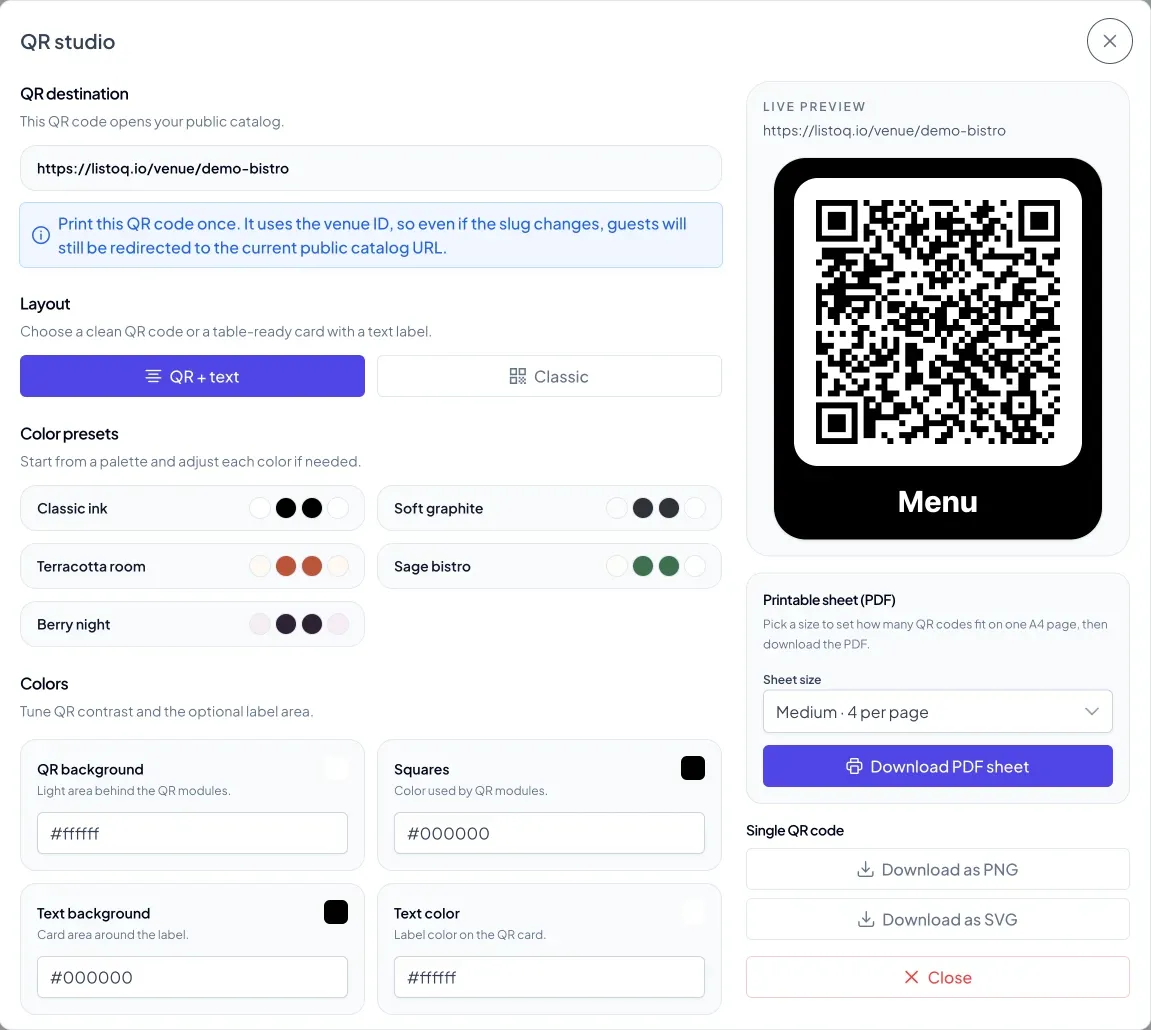
Every code is generated here: pick a layout, start from a palette or set your own hex values, choose a label, and download a single code or an A4 sheet as PNG, SVG or PDF.
The part that matters later
Most QR generators encode a file. This one encodes your venue.
A code generated from a PDF link dies the day you upload a new PDF. A ListoQ code points at your venue's menu page, so a price change, a sold-out dish or a whole seasonal rewrite never costs you a reprint. That holds even if you change your venue address — the code and the link stay the same.
See what is includedQuestions
Generating a QR menu with ListoQ
No. Each venue has one code and one link. Publishing an edited menu changes what the code opens; the code itself never changes.
Related pages
Next Step
Want to turn your food and drink menu into a clear customer page?
Start with your real content and keep one access point as your offer changes.