Allergen information
Put all 14 EU allergen categories on your digital menu
Tag every dish once. Guests open the menu from your QR code, hide what they cannot eat, and see what is left — without asking anyone.


Per dish, not per page
Allergens are tagged on the item, so they follow it into every view of your menu.
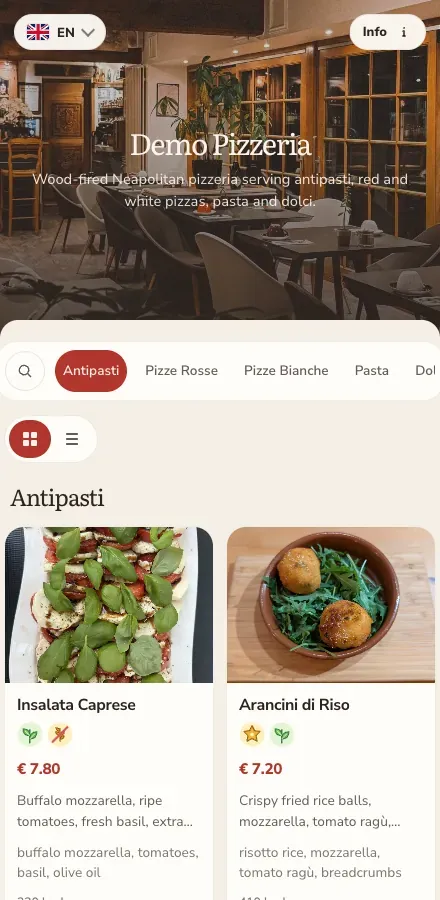
Why a tagged menu beats a footnote
A list at the bottom of the page puts the work on your guests
Printed menus and PDFs usually carry allergen data as a block of small numbers. It is there, but almost nobody reads it, and staff end up answering the same questions all evening.
Tagged on the dish itself
Each item carries its own allergen categories. The guest sees them next to the dish they are reading, not in a key at the end of the menu.
Guests hide what they cannot eat
The menu has an allergen filter. A guest selects the categories they avoid and every item containing them disappears from the list.
One correction, one place
Change a recipe and you edit the item once. The published menu behind your QR code updates for everyone — no reprint, no new code.
The 14 categories
Every category named in EU food information law
Annex II of Regulation (EU) No 1169/2011 lists 14 substances that have to be declared. ListoQ ships all of them as structured values you pick from a list, so nobody has to type them.
- 1 Cereals containing gluten
- 2 Crustaceans
- 3 Eggs
- 4 Fish
- 5 Peanuts
- 6 Soybeans
- 7 Milk
- 8 Nuts
- 9 Celery
- 10 Mustard
- 11 Sesame
- 12 Sulphites
- 13 Lupin
- 14 Molluscs
Alongside the allergen categories you can mark items as vegetarian or vegan, so guests filtering for one reason usually find the other answer on the same screen.
How it works
From an existing menu to a filterable one
- 1
Bring your menu in
Add categories and items by hand, or let AI import read an existing PDF, Excel, Word file or photo into a draft you review before anything goes live.
- 2
Tag the allergens
Open an item and pick its categories from the list of 14. They are structured values, not free text, so the same category always means the same thing.
- 3
Publish when it is right
Edit the draft as long as you need. Publishing swaps it in behind the QR code and link you already printed.
- 4
Guests filter for themselves
A guest opens the menu, excludes the categories they avoid, and reads a menu that only shows what they can order.
Worth being clear about
ListoQ gives you the place to record allergens — the information stays yours
Regulation (EU) No 1169/2011 requires food businesses to make allergen information available for the 14 categories, and national rules differ on how it has to be presented. ListoQ does not check, source or verify what you enter, and this page is not legal advice. Your kitchen knows the recipes; the menu shows what your kitchen records.
See what else is in the planQuestions
Allergens on a ListoQ menu
Yes. The guest menu has an allergen filter: selecting a category hides every item tagged with it. Guests can combine several categories at once.
Related pages
Next Step
Want to turn your food and drink menu into a clear customer page?
Start with your real content and keep one access point as your offer changes.