QR menu platform for food venues

Create a digital menu for your restaurant, burger shop, coffee shop, or food truck

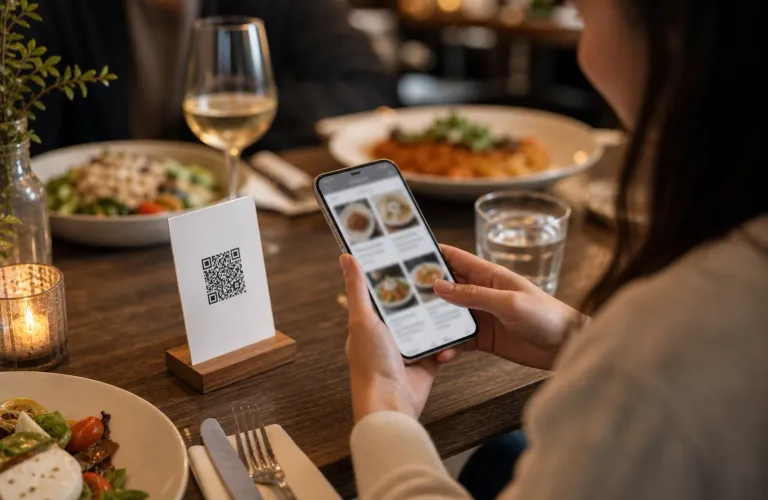
Add dishes, drinks, prices, photos, allergens, modifiers, and seasonal offers. Share the menu through a QR code or link and update it anytime.

For food venuesQR menu accessUpdate anytime

1 QR

One code for every update

Anytime

Menu updates

Mobile-first

Built for guest phones

Menu preview

Guest view

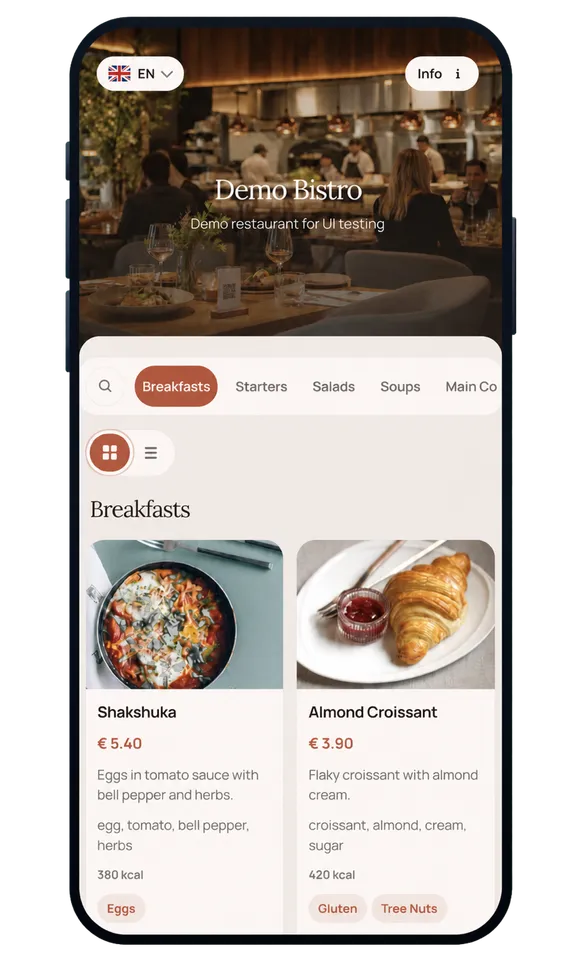
Mobile menu preview with dish cards and category navigation

How it works

Create once, share by QR code, update whenever needed

Start with your real dishes, drinks, photos, prices, allergens, and specials, then keep one access point as the menu changes.

1

Step 1

Build your menu structure

Organize dishes, drinks, categories, prices, descriptions, photos, allergens, and options.

  • Categories and items
  • Prices and allergens
  • Images and options

Menu draft

Ready for review

Menu draft
2

Step 2

Publish the guest view

Turn the menu into a clean mobile page and share it through a QR code or link.

  • Mobile preview
  • QR or link access
  • Guest-ready page

Menu preview

Ready to share

Menu preview
3

Step 3

Keep it current

Update dishes, drinks, prices, photos, availability, and specials whenever service changes.

  • Price edits
  • Seasonal specials
  • New dishes and drinks

Latest version

Same access point

Latest version

Already have a menu?

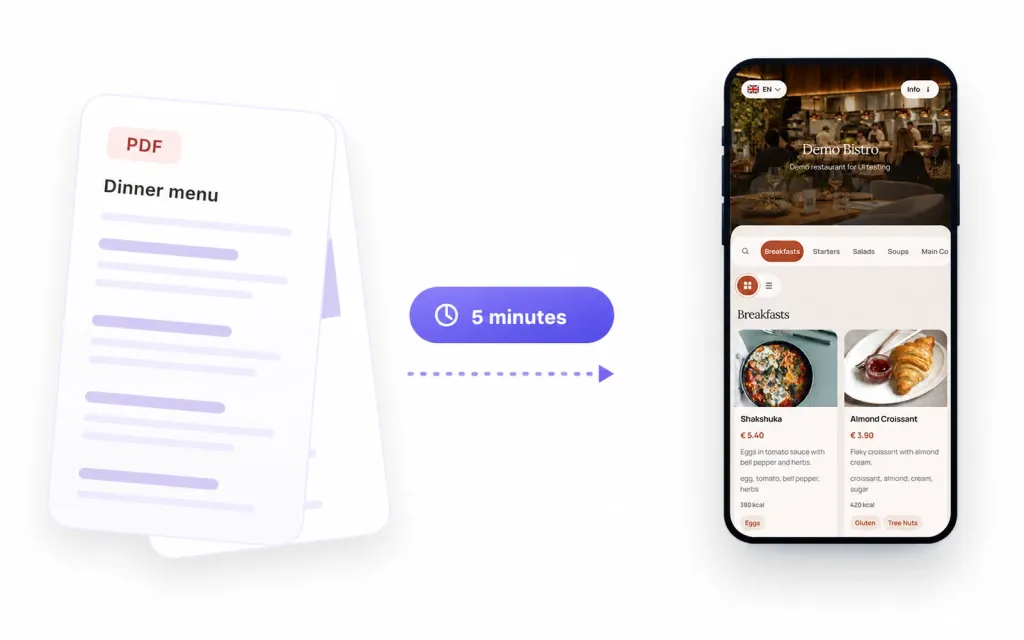
Send us your current menu — get a live web version in under 5 minutes

Upload your existing menu as a PDF, photo, scanned image, or document. ListoQ recognizes categories, dishes, descriptions, and prices, and returns a ready-to-share QR menu you can fine-tune in the admin workspace.

  • PDF, image, Word, Excel — and most common formats in between
  • Categories, dishes, prices, and descriptions detected automatically
  • Review, fine-tune, and publish from one workspace
  • A live QR menu ready to share in under 5 minutes

Pricing

Choose the billing period that works for you

Every ListoQ Start option includes the same product access. Save on the effective monthly cost with a longer billing period.

Start with a 30-day free trial and choose the setup that fits your business.

ListoQ Start

1 month

Full ListoQ access, billed for 1 month.

€12.99

One payment for 1 month

  • Digital menu and catalog management
  • QR and shareable link access
  • Multiple languages and appearance settings
  • Menu publishing and live updates
  • AI-assisted menu import
  • Publishing tools

Taxes are calculated at checkout based on your billing details.

ListoQ Start

6 months

Most popular

Full ListoQ access, billed for 6 months.

€64.99

One payment for 6 months

Equivalent to €10.83 per month

  • Digital menu and catalog management
  • QR and shareable link access
  • Multiple languages and appearance settings
  • Menu publishing and live updates
  • AI-assisted menu import
  • Publishing tools

Taxes are calculated at checkout based on your billing details.

ListoQ Start

12 months

Full ListoQ access, billed for 12 months.

€99.99

One payment for 12 months

Equivalent to €8.33 per month

  • Digital menu and catalog management
  • QR and shareable link access
  • Multiple languages and appearance settings
  • Menu publishing and live updates
  • AI-assisted menu import
  • Publishing tools

Taxes are calculated at checkout based on your billing details.

Use cases

Built for restaurants, burger shops, cafes, coffee shops, bars, bakeries, and food trucks

Use ListoQ for dine-in menus, takeaway menus, drink lists, specials, combos, allergens, and seasonal offers.

Restaurants

Restaurants and bistros

Dine-in menus

Show dishes, drinks, prices, images, allergens, and seasonal offers in a mobile-friendly menu.

Fast casual

Burger shops and fast casual

Combos

Present burgers, sides, sauces, combos, add-ons, and limited offers in a clear QR menu.

Coffee

Coffee shops and cafes

Drinks

Organize drinks, pastries, breakfast, brunch, desserts, and seasonal specials in one guest-facing menu.

Street food

Food trucks and pop-ups

Event menus

Keep event menus, availability, combos, and prices current while guests scan one QR code.

Food venue types

For the places where guests need a clear menu before they order

Restaurants, burger shops, coffee shops, cafes, bars, bakeries, food courts, and food trucks can manage their menu from one workspace.

Explore use cases

Menu changes

Anytime

Keep one guest-facing menu while dishes, drinks, prices, and specials change behind it.

Guest access

QR + link

Guests open the latest menu from a table, counter, takeaway insert, or message.

Venue types

Food menus

Restaurants, burger shops, cafes, coffee shops, bars, bakeries, food trucks, and similar venues.

“We can update prices, sold-out items, and seasonal dishes without rebuilding menu pages.”

Restaurant owner

Menu manager

Digital restaurant menu

“Guests always open the current menu from the same QR code, even when the offer changes during the week.”

Coffee shop manager

Operations

QR menu

FAQ

Frequently asked questions

Quick answers about QR menus, updates, supported food venues, and guest experience.

Yes. You can edit items, photos, prices, categories, and business details from the admin workspace.

Next Step

Create a digital menu for your food venue today

Start with your real dishes, drinks, prices, photos, allergens, and specials, then share the latest menu from one place.

We use cookies

We use cookies to keep the site working and improve the product. Full details and cookie controls are available on the cookie policy page. Cookie policy