
Overview
What this menu has to do
A hotel menu is not one menu. Breakfast, all-day dining, room service and the bar are read by the same guest at different hours, often in different states of hunger and patience, and each has its own constraints.
Keep the four services, adjust the counts to your kitchen, and write each dish once — name, description, price, allergens — so the same entry works in the restaurant, in the room and in a link a guest opens from the lobby.
Structure
The categories, in reading order
Keep the order, adjust the counts to your kitchen.
- 01
Breakfast
8–14 itemsThe service most guests actually use. State what is included in the rate and what costs extra: that single distinction causes most breakfast complaints.
- 02
All-day dining
8–12 dishesThe safety net between services. Dishes that hold quality outside peak hours and do not need the full brigade.
- 03
Room service
6–10 dishesA subset, not a copy. Only dishes that survive a lift and a corridor, with the tray charge on the menu rather than on the bill.
- 04
Bar and drinks
10–16 itemsRead late, and by non-residents too. Split wine, beer, spirits and soft drinks, and always show the pour size.
Worked example
What one finished entry looks like
One dish from each category, written the way a guest should read it.
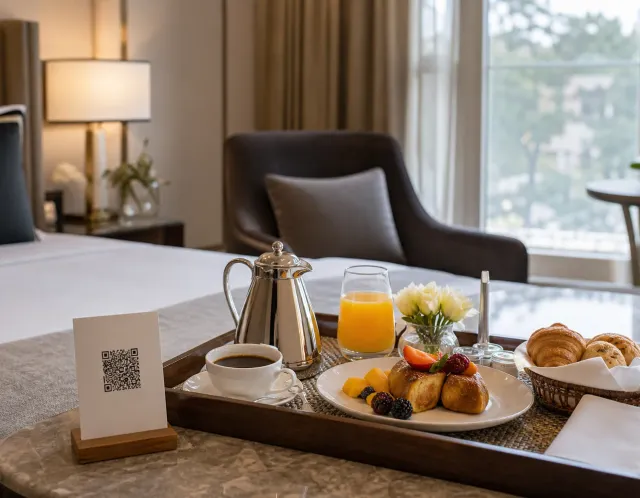
This is how the same four entries reach a guest: one page, opened from a QR code or a link.
Example content for illustration. Prices are shown with the same formatting a published ListoQ menu uses.
Writing notes
Three things worth getting right
Put the service hours on the menu
A guest reading at 23:40 needs to know what is still available. Hours belong on the section, where they answer the question before it reaches reception.
Allergens matter more with a captive guest
A hotel guest may eat with you three times in a day. Structured labels on all 14 EU allergen categories let them check once instead of asking at every service.
State the tray charge up front
Room service surcharges are the most disputed line on a hotel bill. Putting the charge on the menu removes the dispute entirely.
Questions
Common questions about this menu
- Should a hotel use one menu or several?
- One menu with clearly separated services. Guests keep the same link and QR code for the whole stay, and a single structure keeps breakfast, all-day, room service and the bar consistent instead of drifting apart.
- How large should a hotel room service menu be?
- Between six and ten dishes, drawn from the all-day list. Room service is limited by what travels well rather than by what the kitchen can cook, so a shorter list is both more honest and faster to deliver.
- How should breakfast inclusions be shown?
- On the item, not in a footnote. Marking what the rate covers and what is charged extra is the clearest single way to prevent breakfast billing disputes.
- Can guests read the menu in their own language?
- Yes. Add the languages your guests read, translate dish names and descriptions, and guests switch languages on the menu page. Allergen labels are translated automatically.
- Can the hotel bar or restaurant have its own QR code?
- Yes, when it runs as a separate outlet. Set it up as its own venue with its own QR code and menu, managed from the same account. Services guests order from the room are best kept in the main menu.
More templates
Other menus you may be building
- Ice cream shop menu templateAn ice cream shop menu structure: four sections, how many flavours each should hold, and a worked example with prices, sizes and allergen labels.
- Catering menu templateA catering menu structure you can start from: four sections, how many dishes each should hold, and a worked example with prices and allergen labels.
- Restaurant menu templateA restaurant menu structure you can start from: four categories, how many dishes each should hold, and a worked example with prices and allergen labels.