
Overview
What this menu has to do
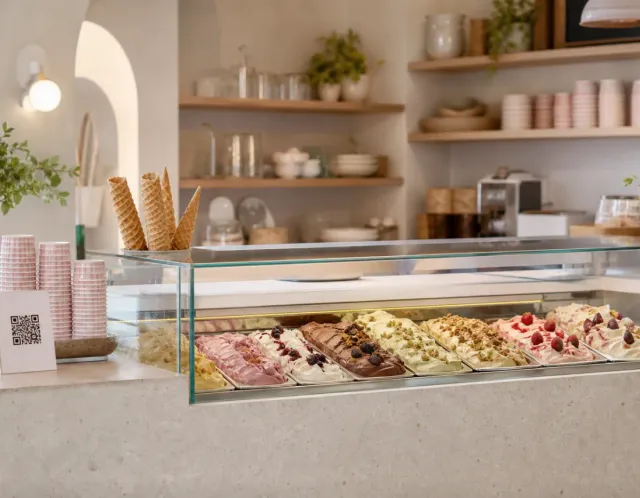
An ice cream menu competes with the counter itself. The guest can see the tubs, so the menu is not there to show flavours — it is there to price them, name them properly and answer the two questions the tubs cannot: what is in it, and what fits a dietary need.
Keep the four sections, adjust the counts to your cabinet, and write each flavour once — name, description, price, allergens — so the same entry works on the tub label and in a link a customer opens on the way over.
Structure
The categories, in reading order
Keep the order, adjust the counts to your kitchen.
- 01
Classic flavours
6–10 flavoursThe list that never rotates. Guests check it first to confirm you have the one they came for, so keep it stable and keep it short.
- 02
Seasonal
3–6 flavoursThe reason to come back this month. Say what makes it seasonal: a flavour with no story reads as a classic you forgot to move.
- 03
Sorbet and dairy-free
3–5 flavoursIts own section, not a footnote. Guests avoiding milk scan for exactly this, and leave if they cannot find it fast.
- 04
Cones, cups and extras
4–8 itemsPriced separately and usually invisible on menus. Listing them stops the surprise at the till.
Worked example
What one finished entry looks like
One dish from each category, written the way a guest should read it.
This is how the same four entries reach a guest: one page, opened from a QR code or a link.
Example content for illustration. Prices are shown with the same formatting a published ListoQ menu uses.
Writing notes
Three things worth getting right
Dairy-free needs its own section
Marking a sorbet inside the main list is not enough. Guests avoiding milk scan for a heading, and a section they find in two seconds is the difference between a sale and a walk-out.
Name the origin, not the adjective
“Bronte pistachios” tells a guest something. “Premium pistachio” does not. One concrete noun beats three adjectives on a flavour list.
Price the cone separately, and say so
Cones, toppings and extra scoops are where till surprises happen. A short extras section prevents every one of them.
Questions
Common questions about this menu
- How many flavours should an ice cream shop list?
- Between 16 and 24 flavours across classics, seasonal and dairy-free suits most cabinets. The counts on this page land in that range, which is roughly what a shop can turn over while the flavours stay fresh.
- Should seasonal flavours be mixed in with the classics?
- No. Regulars scan the classics to confirm their usual is there and skip the rest, so a separate seasonal section is the only way new flavours actually get read.
- How do I show which flavours are dairy-free?
- Give them their own section and tag them per flavour rather than relying on a note. Milk is one of the 14 EU allergen categories, and structured labels stay correct in every language the menu is published in.
- How do I show scoop and cup sizes?
- In their own section at the top, with a price for each size, such as one, two or three scoops. Guests pick a size first and a flavour second, so the flavour list stays easy to scan.
- How do I keep the flavour list in line with the cabinet?
- Hide the flavours that are not out today and show them again when they return, then publish. The QR code on the counter always opens today's selection.
More templates
Other menus you may be building
- Catering menu templateA catering menu structure you can start from: four sections, how many dishes each should hold, and a worked example with prices and allergen labels.
- Restaurant menu templateA restaurant menu structure you can start from: four categories, how many dishes each should hold, and a worked example with prices and allergen labels.
- Cafe menu templateA cafe menu structure you can start from: four sections, how many items each should hold, and a worked example with prices and allergen labels.